Manage the entries of your participants

Manage the entries of your participants
Your back office Wilout CONTROL allows you to perform a panel of actions in order to manage your participants' tickets.
Here we show you some interesting features to know and master, which you can find in the “”Attendees”.
Actions menu
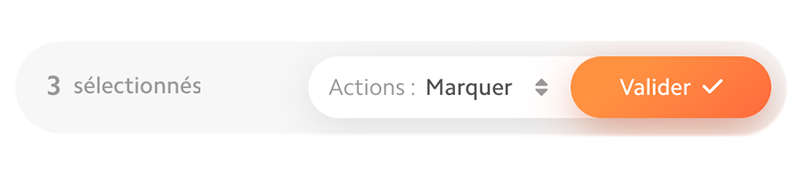
The menu of shares will allow you to make changes, such as:
- Compost / decompose a ticket;
- Marker a ticket;
- export a list of tickets;
- Block A participant
These actions can be done in two different ways:
- Or by clicking on your participant's ticket;
- Or by ticking one or more rows of participants, then choosing an action from the drop-down menu.
Participant Details
By clicking on your participant's ticket, a tab opens on the right side of your screen.
You will find the following information there:
- Ticket no.;
- Personal information: Name, First name, email;
- Ticket details: Barcode, fare name, and link to the ticket PDF;
- Checks: Compost, decompost, add or remove as many composts as possible from the ticket;
- History: lists how many times, where, and when entries and exits were recorded;
- Options: Mark, block, or delete the post.
Compost or decompose
Here's how compost or decompose In one click the tickets of your participants:
- Click on the tab ”List of participants”.
- Search for the participant's name using the search bar at the top right, then click on your attendee's name.
- In the block”Controls”, click on the”+“to add composting or on the”-“for decomposting.
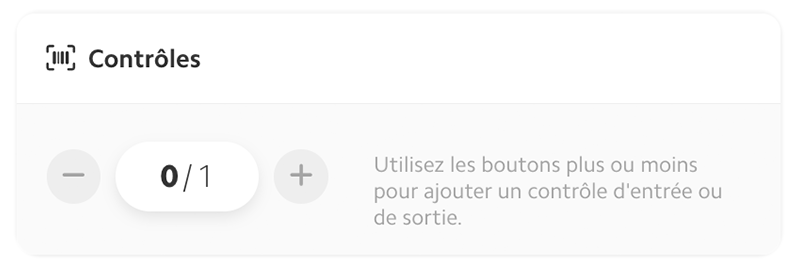
tip : To compost or decompose several tickets at the same time, check the lines of the desired participants then choose”compost”/”decompose” in the actions and validate.
Export tickets
It is possible for you to get a Relation to a moment T by exporting the list of checked tickets from the actions menu.
To do this, proceed as before, this time choosing the action”export”.
Mark a ticket
Among the actions that you can do, you can Mark one or more tickets.
As its name suggests, this feature allows you to mark and therefore find the tickets in question more easily and quickly on your back office.
Block a ticket
The action of Block a ticket allows you to prevent it from being scanned, and therefore to block access to its owner on your event.
This action can be useful in several cases, such as:
- Ticket generated by mistake;
- Presumption of fraud;
- Dangerous behavior or abuse.
You now know how to easily manage your participants' tickets in a few clicks!

.JPG)
.png)