Tutorial: create your CONTROL operator accesses

Create your operator accesses
In order to be able to connect to the application Wilout CONTROL Pro and start checking tickets at the entrance to your event, you will have to create one or more operator access profiles.
We show you how to set them up in no time!
What are operator accesses?
Operator accesses are the identifiers dedicated to access control. They will only be requested when the Wilout CONTROL Pro application is launched. It is possible to create as many operator profiles as desired. The same profile can be used to connect to several control terminals at the same time.
Creating your operator accesses
1 - Log in to your WilOut CONTROL management interface
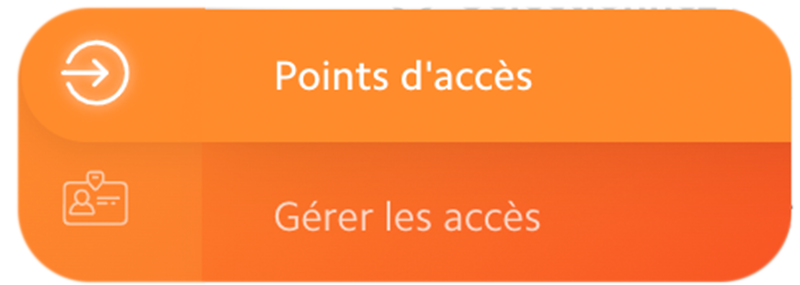
2 - Click on”Access points” and”Manage accesses”
3 - Click on”Create access”, button available at the top left of the page
4 - A new tab”Unnamed access” appears.
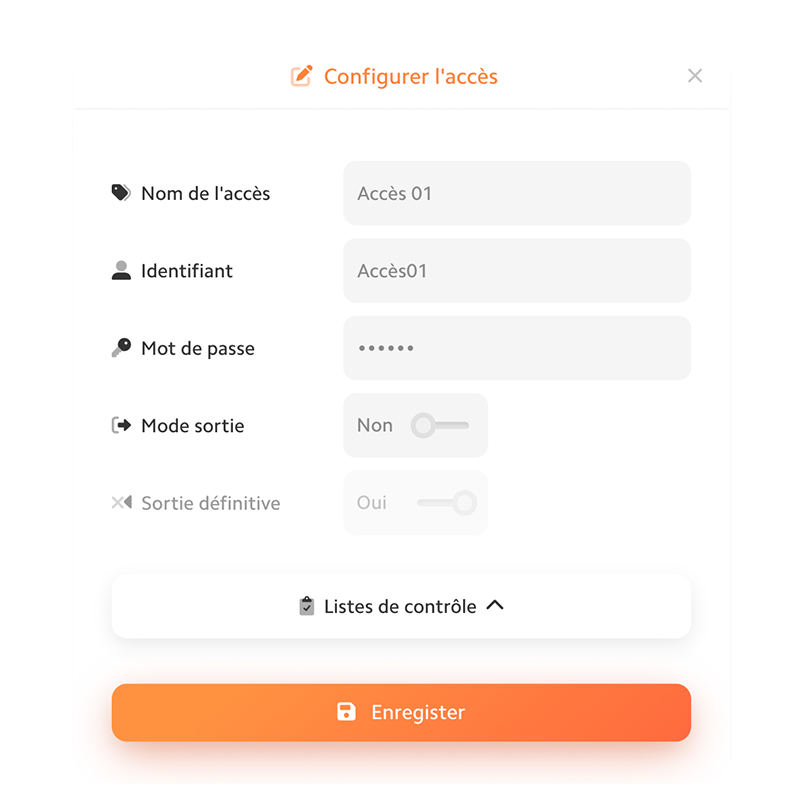
5 - Click on it to change its information:
- Access name
This name is only displayed on your back office. It is used to manage your access.
- Identifier
User name allowing access to the various control services.
- Password
Password for access to the various control services.
- Output mode
If you want to control the entry but also the exits of your participants, activate this option.
- Final release
Activate this option to make the first release considered a final release.
Access will be refused to the participant if he wishes to enter again, following his exit.
- Checklist
Select the checklists that are available for your controller. You can select several.
Discover How to set up your lists.
There you go, now you know how configure the accesses of your controllers and how to assign lists to them.
It's up to you to play!

.JPG)
.png)